What is Wayland
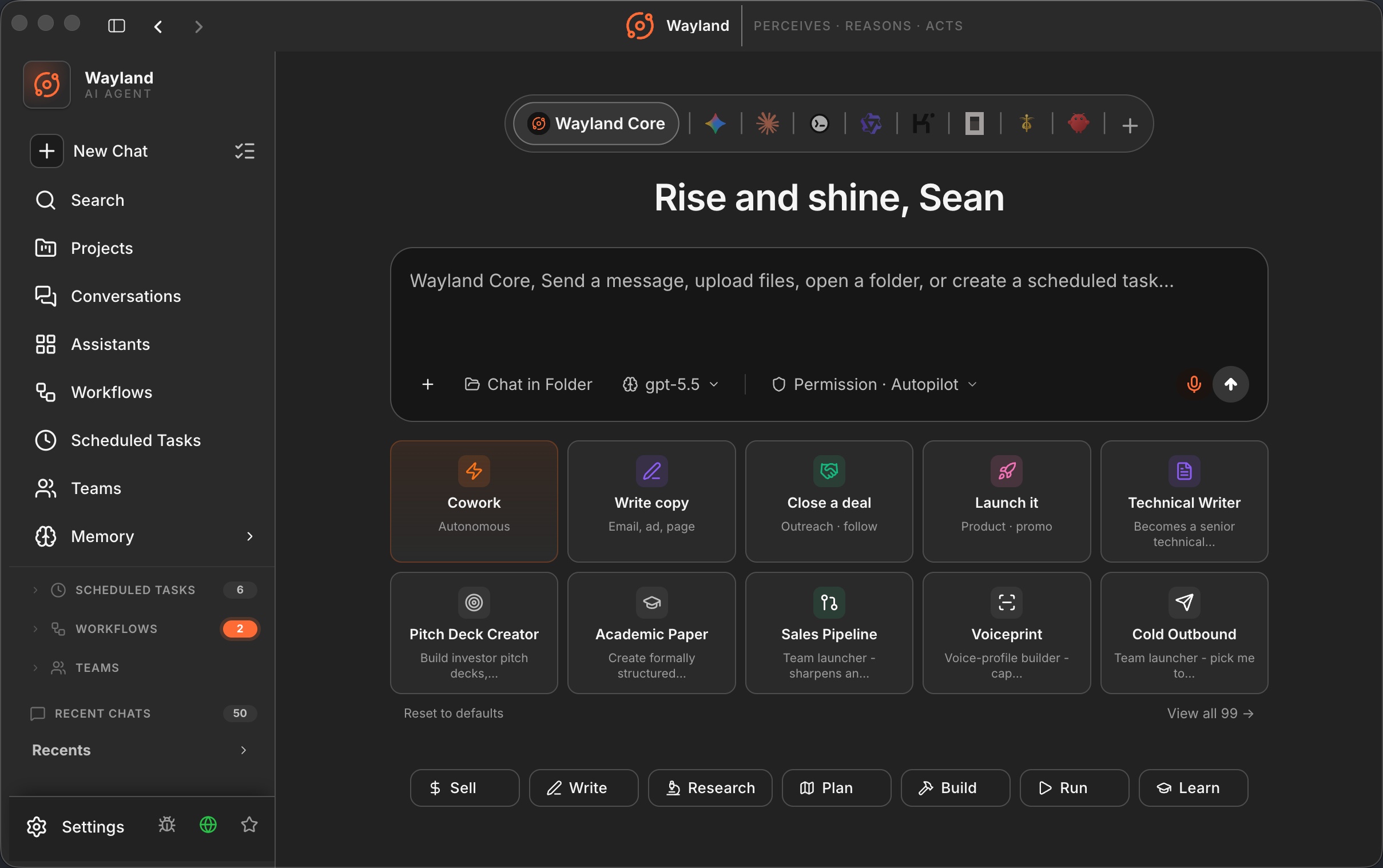
Wayland is an AI desktop command center. It is a desktop app where you run, direct, and schedule AI assistants, and it is also an engine you can run on its own from the command line. Both halves share one core, so a skill or a model you set up in one place behaves the same in the other.
The two halves
Section titled “The two halves”The desktop app is the surface most people use. It is a single window that holds:
- A library of assistants you launch and talk to.
- Teams of assistants that coordinate on larger jobs.
- Channels that let an assistant answer from Telegram, Slack, Discord, WhatsApp, email, and more.
- Scheduled tasks, voice input and output, and image generation.
- A memory and a knowledge wiki that persist across sessions.
Wayland Core (wayland-core) is the engine underneath the app, available on its own as a Rust command-line agent. It connects to LLM providers, runs local tools (read and write files, run shell commands, search), and completes tasks end to end. Use it for scripting, CI pipelines, headless servers, or driving the agent from your own program over a JSON stream.
The desktop app bundles Wayland Core and talks to it through the Agent Client Protocol (ACP), so the GUI and the CLI run the same agent loop.
The model at a glance
Section titled “The model at a glance”Everything in Wayland is built from a small set of ideas:
- Assistant: a named persona with a model, a set of skills, and an avatar.
- Team: several assistants that work together under a leader. A team you keep around becomes a Standing Company.
- Agent: a reusable definition (system prompt plus limits) that an assistant or the engine can adopt.
- Skill: a named prompt snippet with variables and optional shell expansion.
- Workflow (ForgeFlow): a declarative, multi-stage pipeline of agent steps.
- Channel: an inbound and outbound messaging surface that connects an assistant to a chat network.
- Tool: a capability the agent can call. Eight are built in; MCP servers add more.
You do not need all of these to start. A model and one assistant is enough for your first conversation.
Who each is for
Section titled “Who each is for”- Reach for the desktop app when you want channels, teams, scheduling, voice, image generation, or remote access from your phone, all behind one UI.
- Reach for Wayland Core when you want a headless agent: a one-shot prompt in a script, an agent in CI, or an engine embedded in another app.
They are not either/or. Many people run the desktop day to day and drop to the CLI for automation. See Desktop vs Core once you have the app running.
License
Section titled “License”Wayland is free and open source under Apache-2.0. The source lives at github.com/ferroxlabs/wayland.