Settings: Models and Providers
The Models panel is where you connect AI providers and manage their keys. It detects keys already on your machine, recognizes a pasted API key, and keeps the model catalog fresh. Flux Router is the recommended provider and sits at the top of the page.
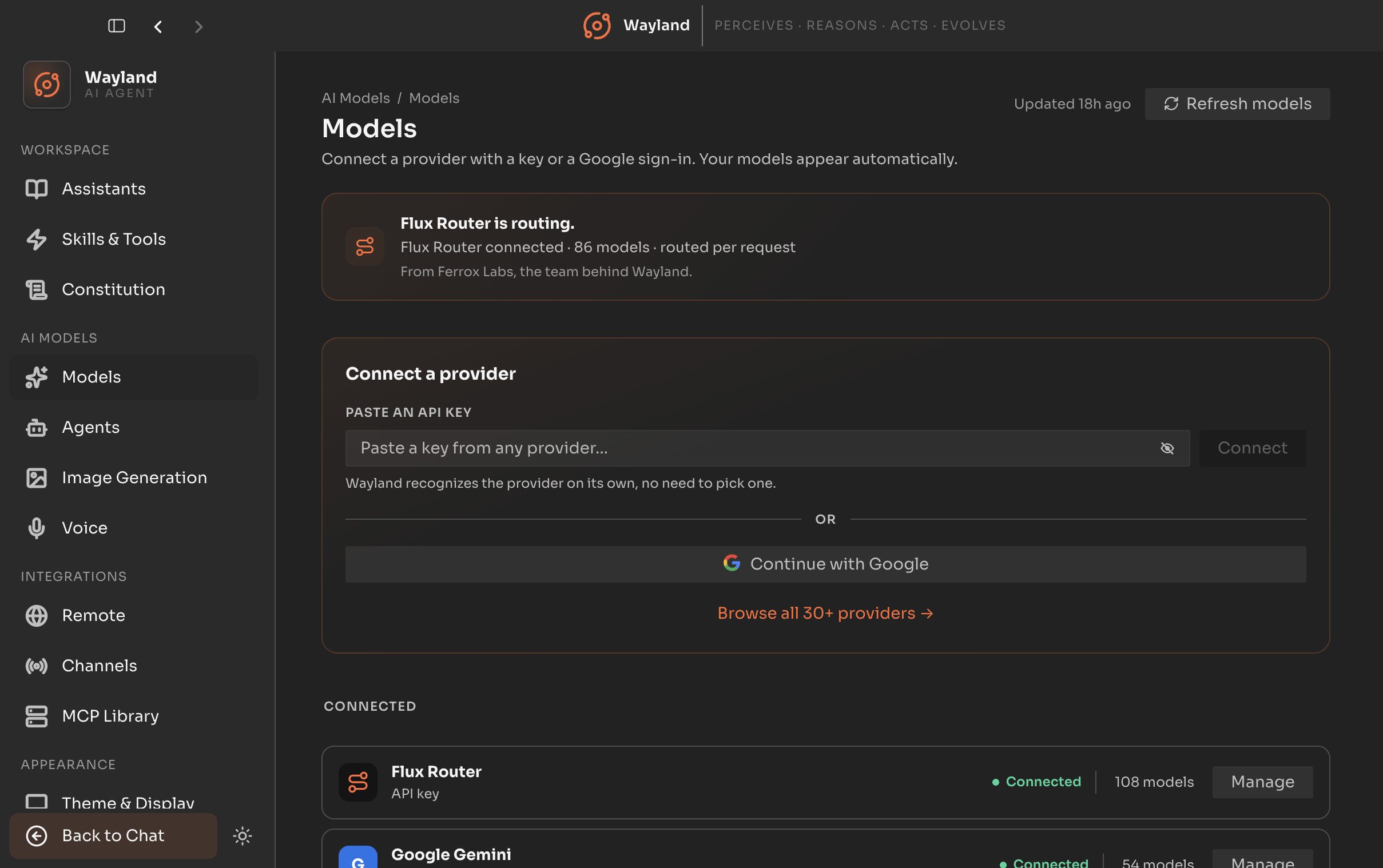
Connect a provider
Section titled “Connect a provider”The always-visible hero for adding a provider.
| Control | Description |
|---|---|
| Flux Router hero | Connect the recommended Flux Router provider with a key. Reinforces when already connected. |
| Detected keys strip | Keys auto-discovered on your machine, surfaced for consent. Use it or ignore it per key. Never used silently. |
| Paste an API key | Paste a key with live provider recognition. Recognized cloud keys route to that provider’s form. |
| Continue with Google | OAuth sign-in for Google-based providers. |
| Browse | Open the full provider catalog to pick a provider and add a model. |
Connected providers
Section titled “Connected providers”Each connected provider shows as a compact row.
| Control | Description |
|---|---|
| Manage | Open the provider’s manage view to re-key or disconnect. |
| Fix | Shown on an errored provider; opens the same manage view to recover a revoked key. |
Manage provider
Section titled “Manage provider”The manage view carries the credential form, a re-key dialog, the browse-and-add-model flow, and disconnect. Returning from a disconnect drops you back to the Models index.
Refresh
Section titled “Refresh”| Control | Description |
|---|---|
| Refresh models | Re-fetch the model catalog for all connected providers. Shows a freshness label such as “updated 2h ago” or “Never”. |
| Auto-refresh | Master switch for scheduled catalog refresh. On by default. |