Settings: Image Generation
The Image Generation panel at Settings -> Image Generation controls Wayland’s built-in image generation tool. The tool runs as a bundled MCP server. Enable the server, pick a model arm, and Wayland syncs the configuration to your agents automatically.
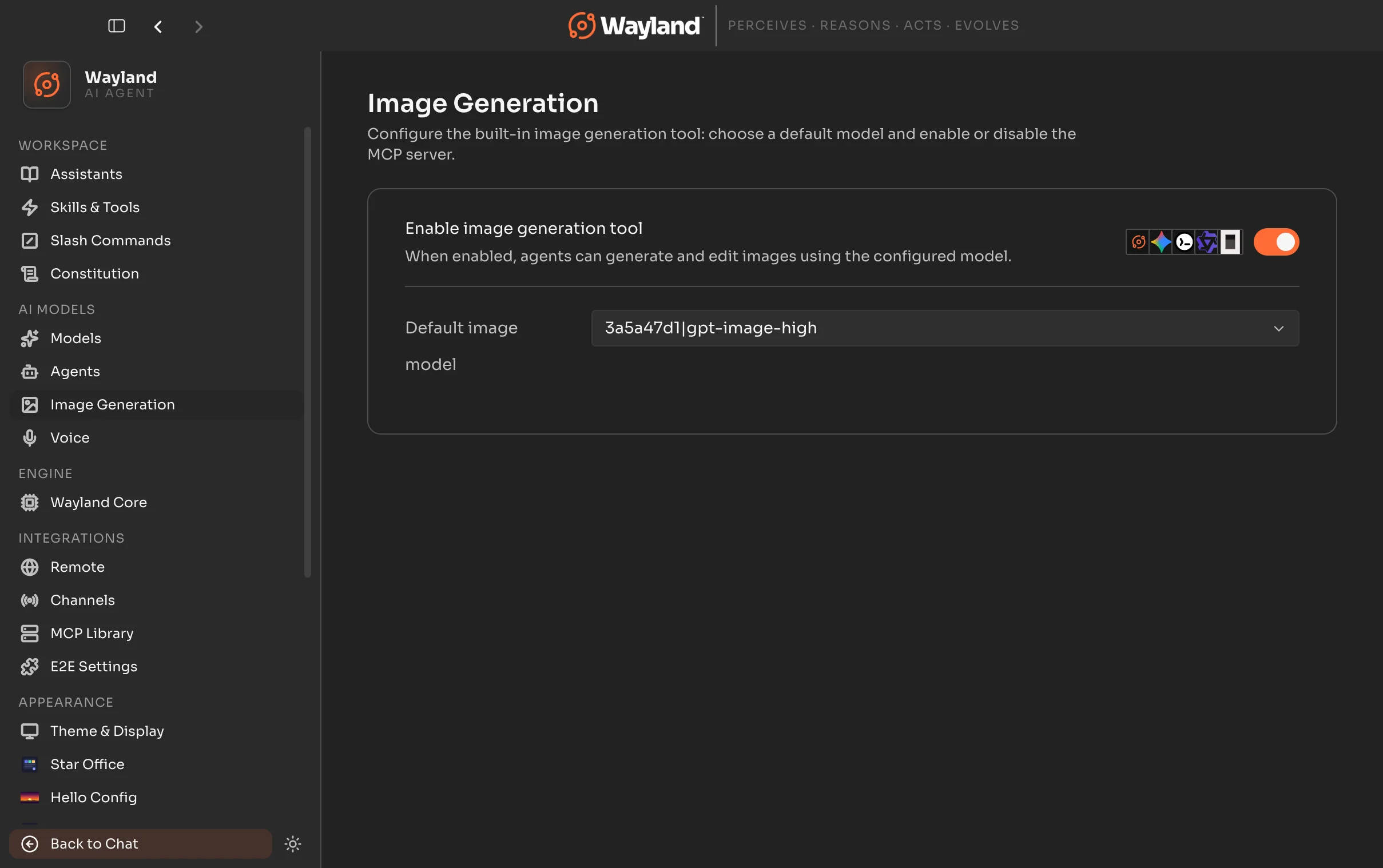
Built-in server controls
Section titled “Built-in server controls”| Control | Description |
|---|---|
| Enable toggle | Turns the built-in image-generation MCP server on or off. Enabling syncs it to your agents. Disabling removes it from all agents. The toggle is unavailable until an image-capable model is selected. |
| Agent status indicator | When the server is on, shows which agents have the image tool installed. |
Model picker
Section titled “Model picker”The model picker lists available image models grouped by connected provider. Only providers that expose image-capable models appear here.
Selecting a model writes the provider connection details (provider, base URL, API key, and model id) into the server environment. The server uses those details for every generation request until you change the selection.
Flux Router arms
Section titled “Flux Router arms”When Flux Router is connected, the picker offers the full set of Flux image arms. The default selection is Flux Image (flux-image), which lets Flux Router pick the best-performing arm per request. Power users can pin a specific arm.
Arms available when Flux Router is connected, in picker order:
| Arm id | Label | Notes |
|---|---|---|
flux-image | Flux Image | Default. Flux picks the best arm per request. |
gpt-image-high | GPT Image (High) | Requires a verified OpenAI org behind Flux. |
nano-banana-pro-4k | Nano Banana Pro 4K | Google Gemini-backed. SynthID watermark applies. |
nano-banana-pro-2k | Nano Banana Pro 2K | Google Gemini-backed. SynthID watermark applies. |
gpt-image-high-xl | GPT Image (High XL) | Requires a verified OpenAI org behind Flux. |
nano-banana | Nano Banana | Google Gemini-backed. SynthID watermark applies. |
gpt-image-med | GPT Image (Medium) | OpenAI medium quality. |
flux-image-together-flux | Together FLUX (Fastest) | Fastest, lower fidelity. |
Other providers
Section titled “Other providers”When a non-Flux image-capable provider is connected (for example, a native OpenAI account or an OpenRouter connection), the picker lists the image model ids that provider exposes. A curated floor of known good ids is shown by default; any additional ids the provider reports are added on top.
Configuration help
Section titled “Configuration help”When no image-capable models are available, the panel shows a link to the image generation setup guide. Connect an image-capable provider first, then return to this panel.