Workflows (ForgeFlows)
A workflow is a saved, repeatable job you hand to an agent: a set of steps that work toward one outcome, written down once so you (or anyone you share it with) can run it again without re-explaining it.
Think of the difference between telling a colleague “research this competitor, then draft a one-page brief, then sanity-check the numbers” every single time, versus writing those steps down once and just saying “run the competitor brief.” A workflow is the written-down version. Wayland calls its workflows ForgeFlows, but they’re the same thing; the name just distinguishes them from ad-hoc chat.
Why use one instead of just chatting
Section titled “Why use one instead of just chatting”You could ask a single agent to juggle a multi-step task turn by turn. That works, but the agent has to hold the whole plan in its head, and you get a different result each time depending on how it decides to break the work up.
A workflow makes the structure explicit. You say up front what the steps are and how they connect, and Wayland runs them as a coordinated set of helper agents (sub-agents), one per step, instead of one agent improvising the whole thing. That makes runs more consistent, lets independent steps run at the same time, and makes it obvious what the task will actually do before you launch it.
The three step shapes
Section titled “The three step shapes”Most workflows are built from three kinds of steps. You can mix them:
- Agent: a single step, where one sub-agent does one job (e.g. “summarize this document”).
- Pipeline: steps in a line, where each hands its result to the next (e.g. “research → draft → fact-check”). You can also run a pipeline over a list (say, the same “review → fix” chain for every file) so each item flows through the stages on its own.
- Parallel: steps that run at the same time and then combine their results (e.g. review a design for security, performance, and accessibility all at once, then merge the findings). This is often called a fan-out: one task splits into several that run side by side.
A common pattern combines them: fan out to gather several independent takes, then a final step verifies or synthesizes them into one answer.
How Wayland runs a workflow
Section titled “How Wayland runs a workflow”When a workflow runs, each step becomes a sub-agent call on the same machinery a normal chat uses: the same models, tools, and permission checks (it’s the same path the Delegate tool uses to hand work to a helper agent). There’s no separate, parallel system to learn or secure: a workflow is just a structured way of dispatching the agents you already use. It opens in a new conversation, loads the workflow as the agent’s first instruction, and works through the steps, reporting back as it goes, and you can interrupt or redirect at any point.
Where workflows show up
Section titled “Where workflows show up”The same idea appears in a few places:
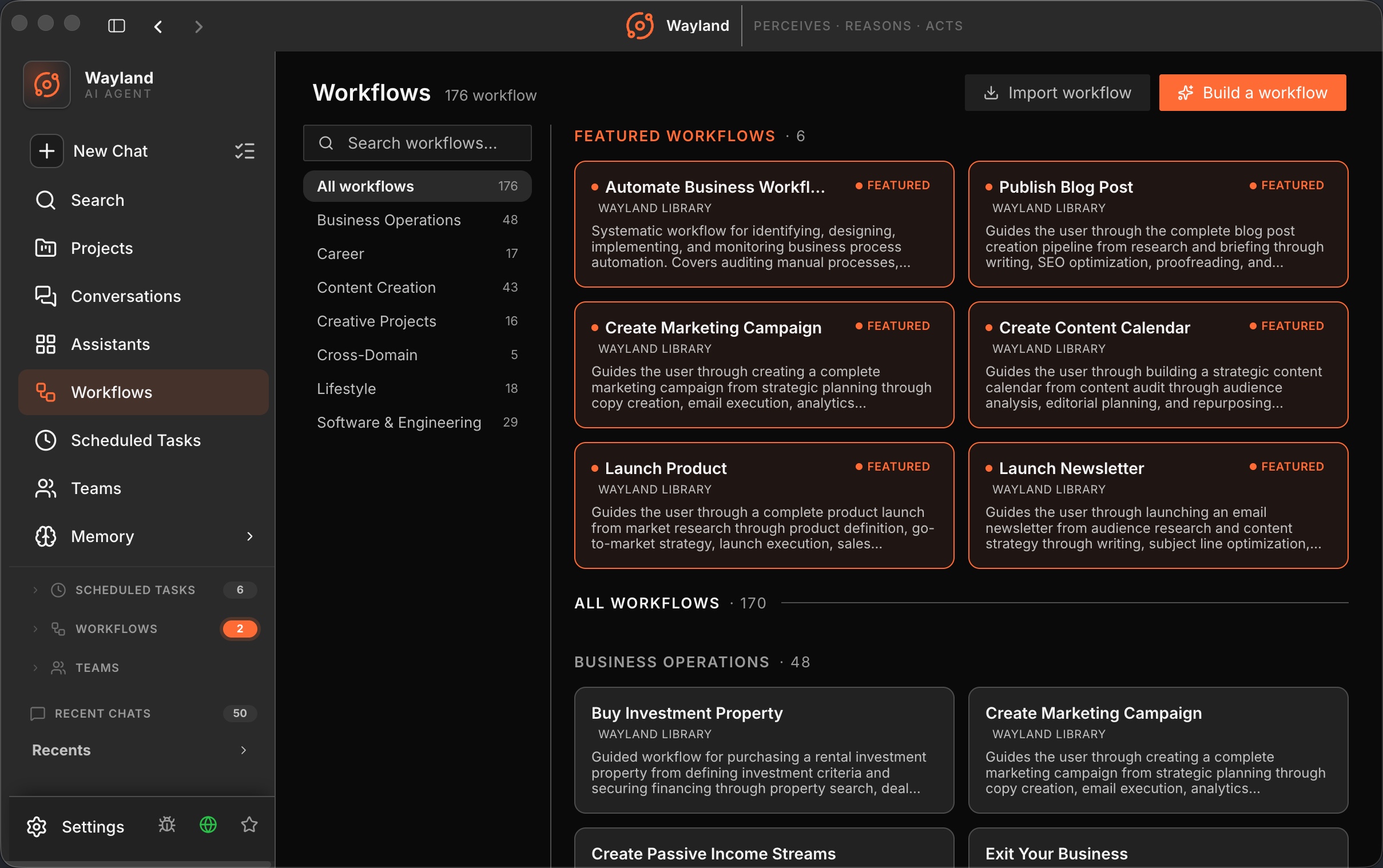
- The Workflows library (desktop): a built-in collection grouped by category (Software & Engineering, Business Operations, Content Creation, and more). Open a workflow to see what it does and which skills it uses, then run it or build your own. This is where most people start.
- The Workflow tool: an agent can run a workflow inline, mid-conversation, when a task calls for it.
- The
wayland-core workflowCLI (aliasforgeflows): validate, list, and run saved workflows from the command line.
Authoring: simple and precise
Section titled “Authoring: simple and precise”You can write a workflow two ways:
- In the desktop builder: give it a name, description, and category, then write the steps in plain Markdown (or describe what you want in plain language and let Wayland draft it for you). This is the easy path and covers most needs. See Run and Author Workflows.
- As a ForgeFlow in RON: RON (Rusty Object Notation) is a precise, structured file format for power users who want to spell out phases and steps exactly and validate/run them from the engine. A ForgeFlow document has a
metablock (name and description), optional sharedschemas, and an ordered list ofphases, each holding the Agent / Pipeline / Parallel steps above. See the ForgeFlow (RON) Authoring Reference.
Both produce the same thing at run time, a coordinated set of sub-agents, so pick whichever level of control you need.