Settings: Storage
The Storage panel shows where Wayland keeps your data on disk, along with backup, end-to-end encrypted sync, and a reset-everything action in a danger zone.
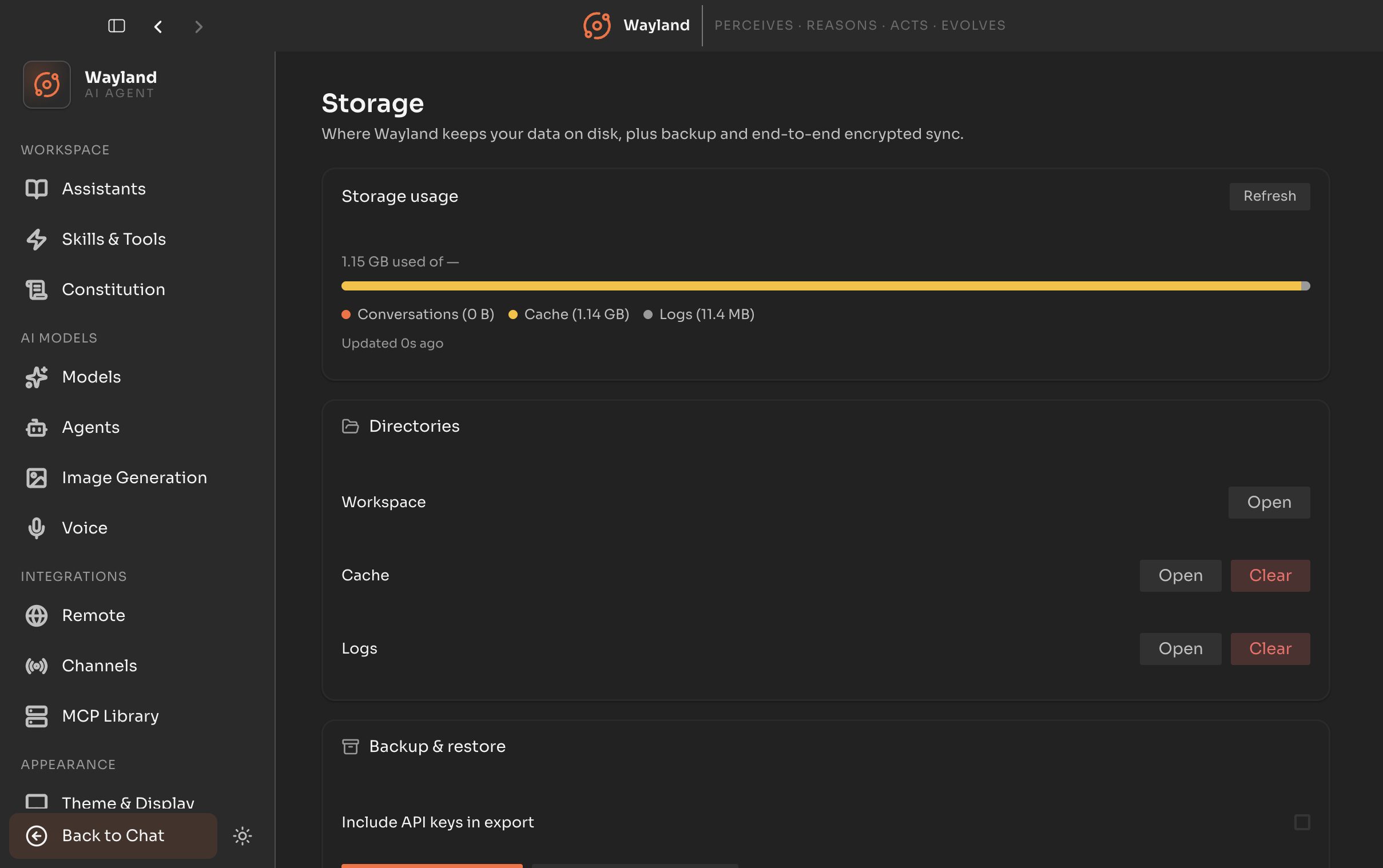
A usage card reports total disk used, broken down by category, with a refresh action and a note of when the figures were last computed.
Directories
Section titled “Directories”| Control | Description |
|---|---|
| Workspace | The workspace directory, with an Open action. |
| Cache directory | The cache path, with Open and Clear actions. |
| Logs directory | The logs path, with Open and Clear actions. |
Backup
Section titled “Backup”| Control | Description |
|---|---|
| Include keys | Whether the export includes stored API keys. |
| Passphrase | A passphrase to encrypt the export. |
| Export all | Write an encrypted backup. |
| Restore | Import from a backup file. |
A beta card for end-to-end encrypted sync.
| Control | Description |
|---|---|
| Enable / Disable sync | Turn encrypted sync on or off. Enabling prompts for a sync passphrase. |
| Status | Last sync time and the number of synced items. |
| Sync now | Trigger a sync immediately. |
Danger zone
Section titled “Danger zone”| Control | Description |
|---|---|
| Reset all | Wipe all Wayland data. Requires typing reset to confirm. |