Channels
A channel connects an assistant to a messaging surface. Inbound messages from the platform reach the agent, and the agent’s replies go back out through the same surface. A channel is how a Wayland assistant lives inside Telegram, Slack, WhatsApp, email, or any of the other supported platforms, rather than only inside the desktop window.
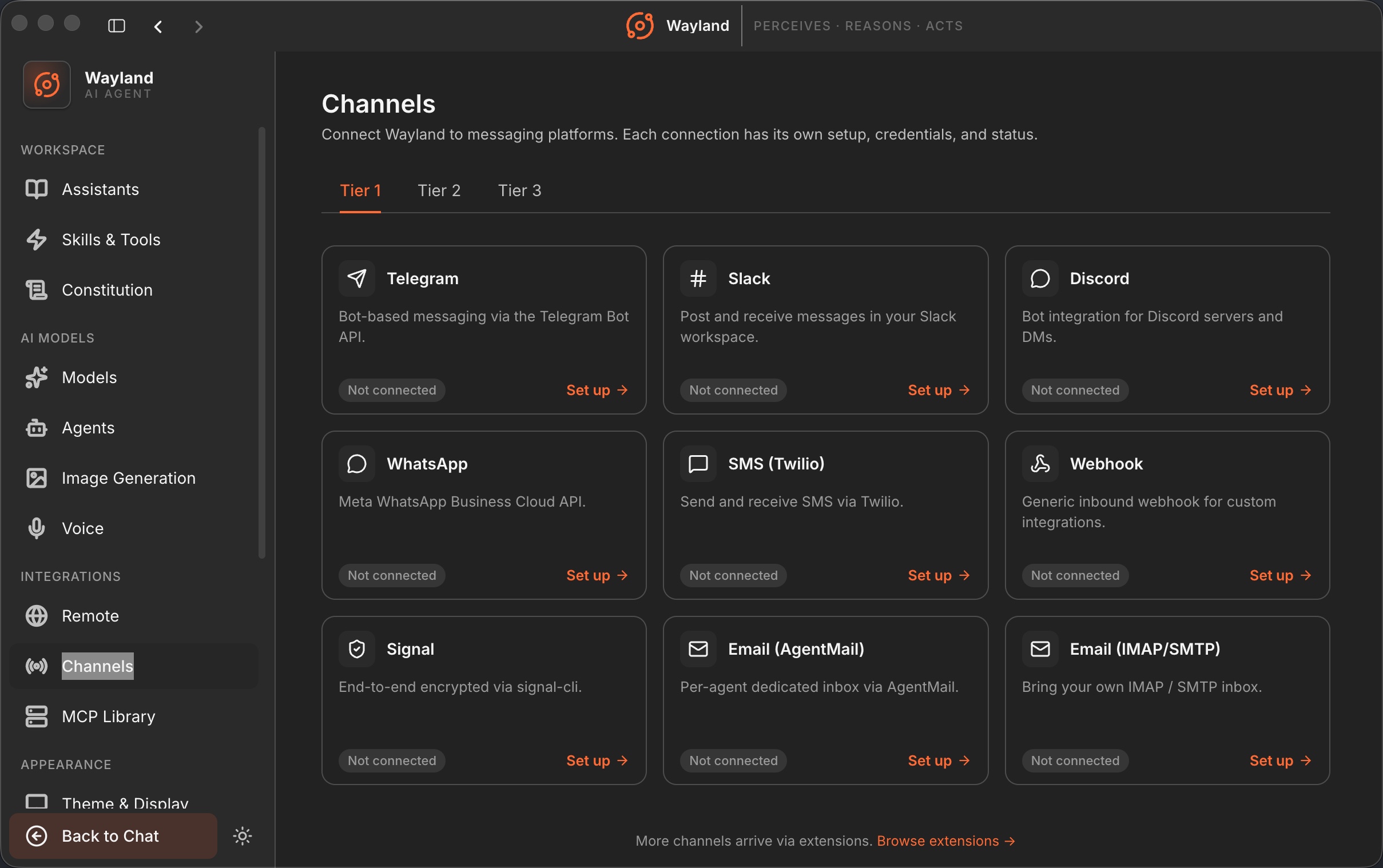
The three tiers
Section titled “The three tiers”Wayland ships 25 built-in channels, organized into three tiers by reach:
- Tier 1, mass-market (9): Telegram, Slack, Discord, WhatsApp, SMS (Twilio), Webhook, Signal, Email (AgentMail), and Email (IMAP/SMTP).
- Tier 2, professional and regional (8): Matrix, MS Teams, LINE, iMessage, Lark/Feishu, DingTalk, WeChat, and WeCom.
- Tier 3, long tail (8): Mattermost, Google Chat, Nextcloud Talk, IRC, Nostr, Twitch, Synology Chat, and BlueBubbles.
The tiers are an organizing aid in the Channels page, not a difference in capability. Each channel has its own setup page with the credentials and steps it needs.
How a channel connects
Section titled “How a channel connects”Behind the channels page sit a few shared pieces: a gateway that routes inbound and outbound messages, a pairing flow, a webhook receiver for platforms that push events, and per-platform bridges for surfaces that need them, such as the WhatsApp bridge and the Signal runtime. You provide credentials for a channel, connect it, and watch its status move from idle to connected. Some channels are marked as coming soon.
Once a channel is connected, you route its messages to an assistant or a team, so inbound messages reach the persona you want handling them.
Scheduling into a channel
Section titled “Scheduling into a channel”Channels are also a target for scheduled work. A cron job can post a message to a channel on a schedule, which is how a daily briefing or a recurring report lands in your team chat each morning. See Schedule Tasks for that flow.