Settings: Theme and Display
The Theme and Display panel holds appearance preferences for the desktop app. It also lets you customize the launchpad bar and set the name Wayland uses for you.
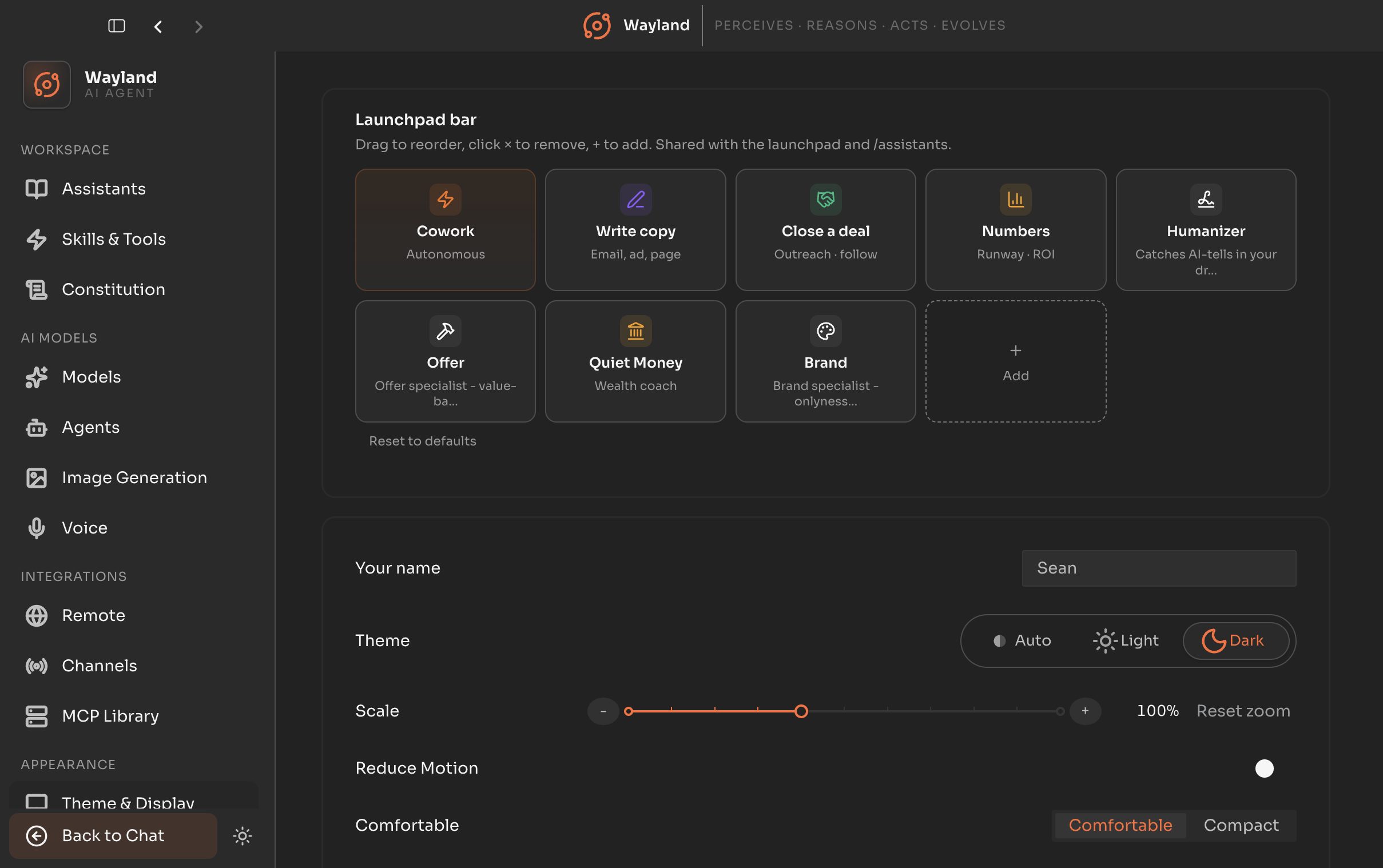
Launchpad bar
Section titled “Launchpad bar”A live editor for the launchpad bar shared with the launchpad and the /assistants page. Drag to reorder, click the remove control to drop a card, and the add control to include one.
Display
Section titled “Display”| Control | Description |
|---|---|
| Your name | The name Wayland addresses you by. Falls back to your OS name when blank. |
| Theme | Light, dark, or system. |
| Font size | The interface font scale. |
| Reduce motion | Cut interface animation. |
| Density | Comfortable or compact spacing. |
| Sidebar width | A slider from 200 to 400 pixels. |