Settings: Voice
The Voice panel configures speech-to-text and text-to-speech for the chat box. Each section toggles on to enable voice input or output. A provider hint banner points you to setup steps when a provider needs configuration.
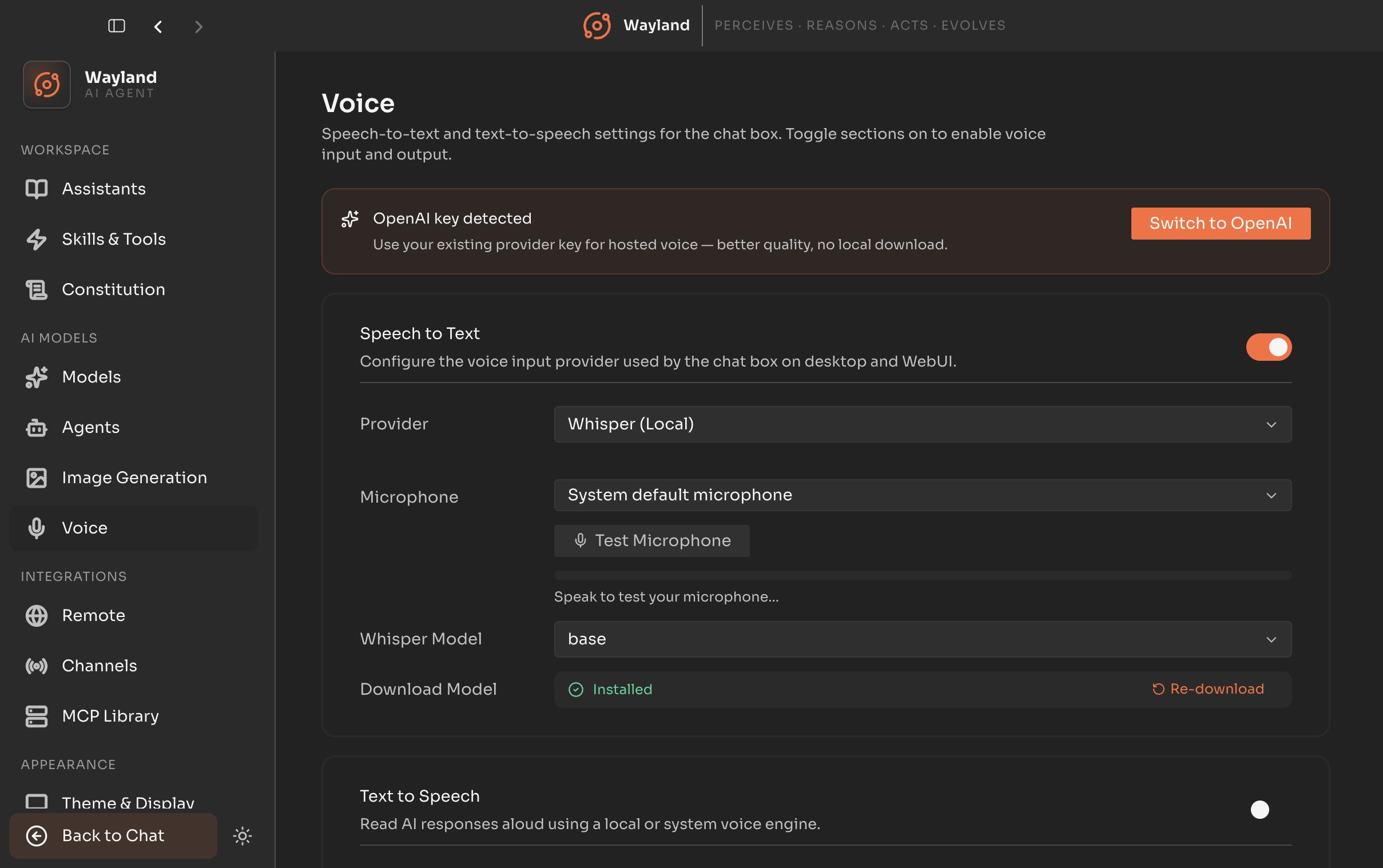
Provider hint
Section titled “Provider hint”A banner at the top surfaces guidance when the selected text-to-speech provider needs attention, with a control to adjust the configuration inline.
Speech-to-text
Section titled “Speech-to-text”Turn on to enable voice input. The available providers:
| Provider | Notes |
|---|---|
| Flux Voice | Speech-to-text through Flux Voice, with clear, actionable messages when setup needs attention. |
| Whisper (local) | Runs locally. Pick the Whisper model (base or small); the model and binary download on demand and show an installed state. |
| OpenAI | Uses the whisper-1 model through your OpenAI key. |
| Deepgram | Uses the nova-2 model through a Deepgram key. |
A microphone check lets you confirm your input device is working before relying on it.
Text-to-speech
Section titled “Text-to-speech”Turn on to enable voice output. Providers include a local Kokoro option whose model downloads on demand, alongside cloud providers selected from the provider list. Voice and related options appear once a provider is chosen.