Use Memory and the Wiki
Wayland can carry knowledge across sessions so an assistant does not start blank every time. The Memory page is where you browse and curate what it has kept, and the wiki is where that knowledge is organized into concepts you can read and link.
Open the Memory page
Section titled “Open the Memory page”Open the Memory page. It is organized into tabs for the different kinds of memory Wayland keeps, from recent activity to distilled facts and learned procedures.
Browse and search
Section titled “Browse and search”Move through the tabs to see what Wayland has stored. Search to find a specific memory by its content. Memory is scoped, so what you see is tied to the project or context you are working in.
Read the wiki
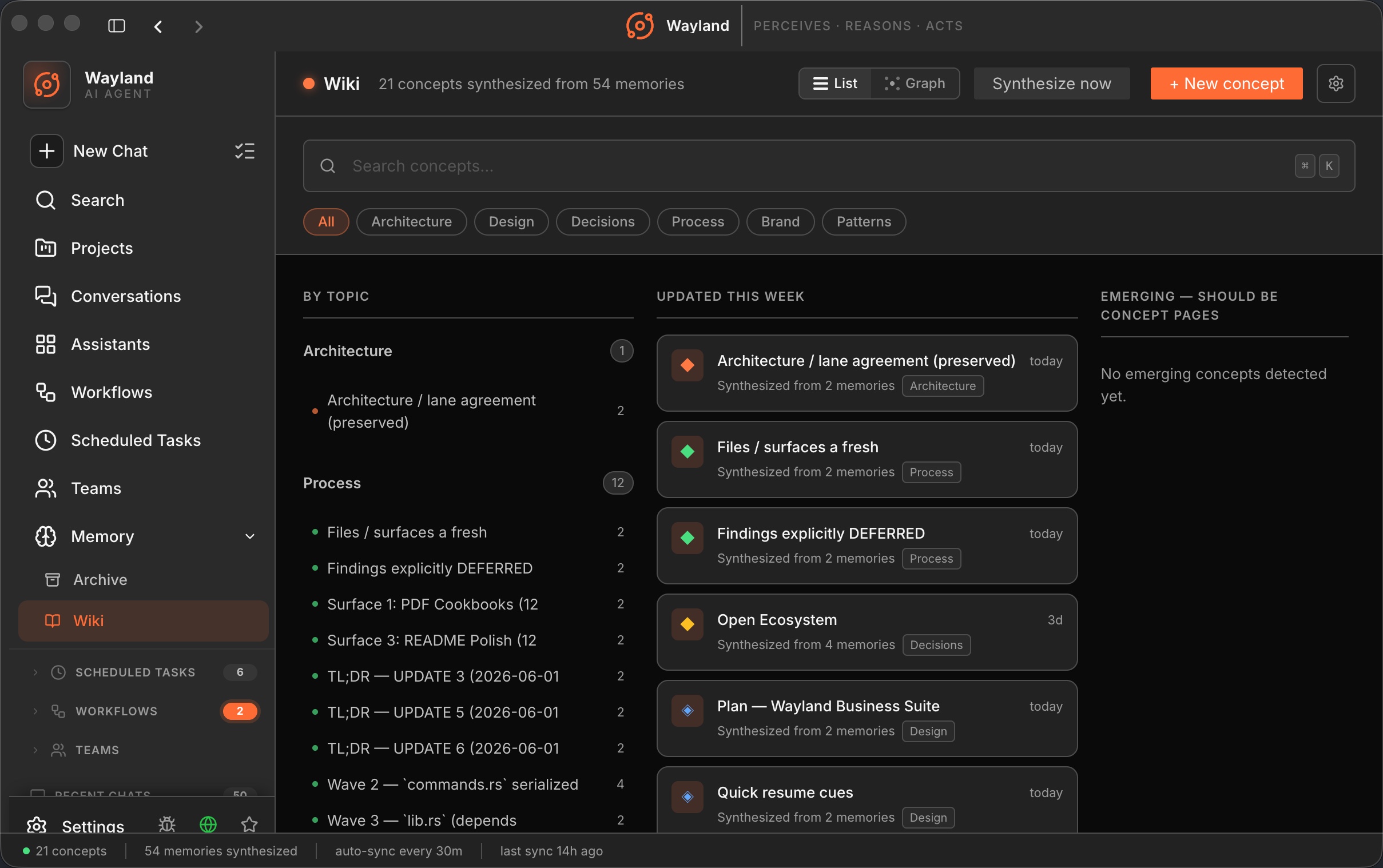
Section titled “Read the wiki”The wiki turns memory into concepts: short pages on the topics Wayland has come across, with views for what was updated recently, what is emerging, and what is most referenced. Open a concept to read it and follow its links to related concepts. A graph view shows how the concepts connect.
Curate
Section titled “Curate”Memory is most useful when it stays clean. Review what has accumulated, keep what is worth carrying forward, and clear out what is stale or no longer true. The emerging and orphaned views help you find concepts that need a decision.
In the engine
Section titled “In the engine”The engine keeps per-project memory that indexes across sessions. It is on by default; you can tune or disable it in config. To inspect what it stored for a session from the CLI, run wayland-core --memory-show <session-id>.