Run a Customer Support Channel Bot
This tutorial connects a support assistant to a messaging channel and handles inbound messages end to end. By the end, a message a customer sends in Telegram or WhatsApp reaches your assistant, gets answered, and notifies you on your terms. You need a connected model provider first. See Connect Your First Model.
1. Create a support assistant
Section titled “1. Create a support assistant”Start with an assistant tuned for support. Create one from the Assistants library, give it a clear name like “Support (Tier 1)”, and write its rules into the system prompt or a skill: stay on the product, ask a clarifying question before guessing, and escalate billing questions to a human. See Create a Custom Assistant for the editor.
Test it in a normal conversation before you connect anything. Ask it a few real support questions and adjust the rules until the answers read the way you want.
2. Connect a channel
Section titled “2. Connect a channel”Pick a channel your customers already use. Telegram is quick to set up; WhatsApp routes through a bridge and is better when your audience lives there.
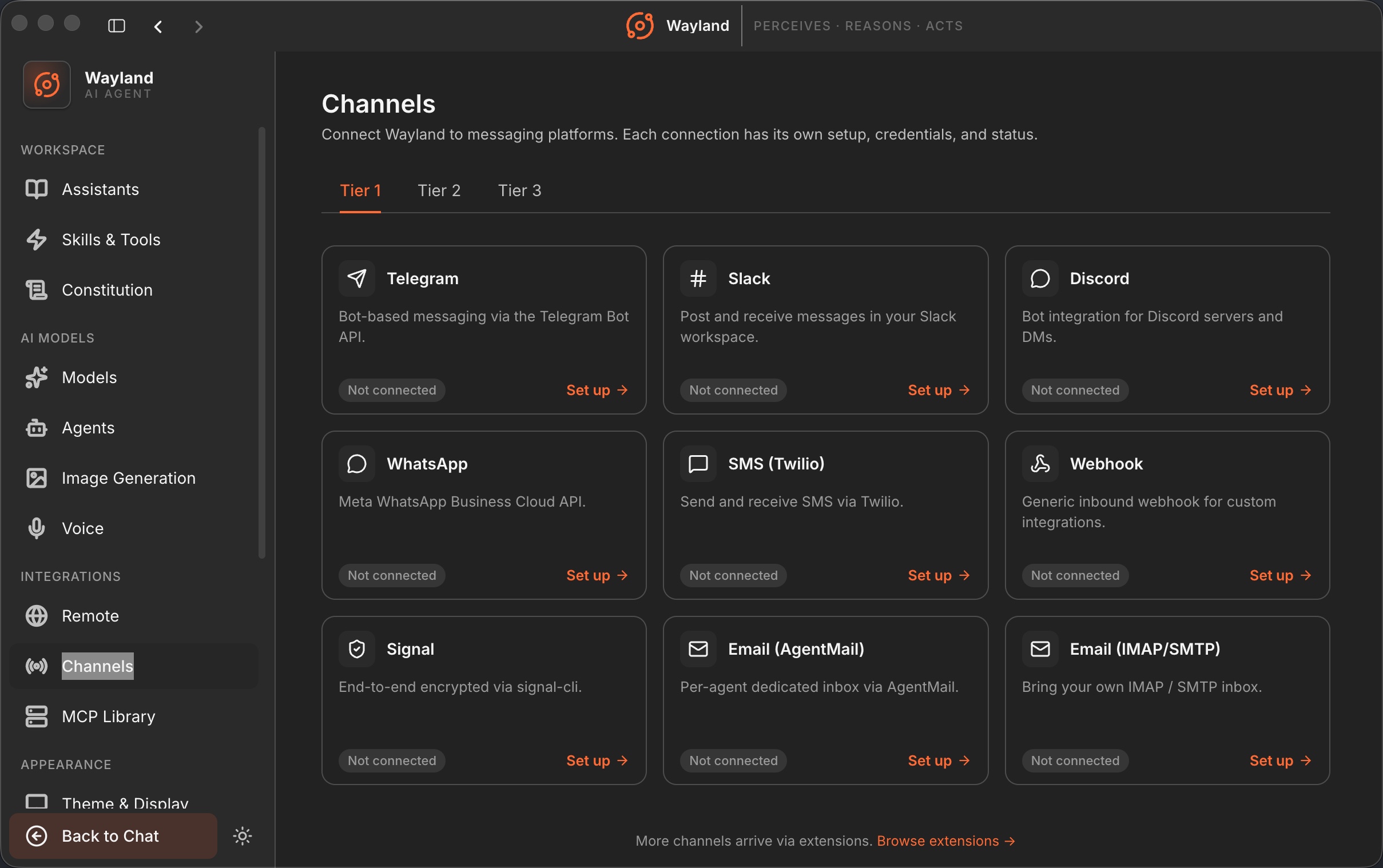
- Open Settings -> Channels and pick the channel.
- Follow the matching setup guide to create the bot or app and paste its credentials. For Telegram, see Channels: Telegram. For WhatsApp, see Channels: WhatsApp.
- Connect and wait for the status to move from idle to connected.
3. Route inbound messages to the assistant
Section titled “3. Route inbound messages to the assistant”A connected channel needs a destination. Route the channel to your support assistant so every inbound message opens or continues a conversation with it. Now a customer message in the channel is answered by the assistant, with the same tool approvals and rules as an in-app chat.
Send a test message from a second account to confirm the inbound path. The message should appear as a conversation driven by your support assistant.
4. Set notifications and quiet hours
Section titled “4. Set notifications and quiet hours”You do not want a buzz for every message at 3am. Open Settings -> Notifications. The channel-message toggle controls alerts when a channel message arrives. Set quiet hours with a start and end time so notifications hold overnight and resume in the morning. You can also turn on a sound and separate alerts for when an agent finishes or errors.
5. Hand off to a human
Section titled “5. Hand off to a human”A support bot should know its limits. When the assistant hits something it should not answer alone, such as a refund or an account change, have it say so and stop rather than guess. Because you are watching the conversation in the app, you can step in directly: take over the thread, reply yourself, and let the assistant resume once the human part is done. The constitution is a good place to put a standing rule like “never promise a refund; escalate instead”. See The Constitution.
What you built
Section titled “What you built”You have a support assistant wired to a real channel, inbound messages routed to it, notifications shaped by quiet hours, and a clear handoff path for anything a bot should not decide on its own.