Skills
A skill is a named, reusable piece of instruction the agent can invoke on demand. It packages a workflow, a checklist, or a tool sequence into a single callable name, so you teach the agent a job once and call it by name afterward.
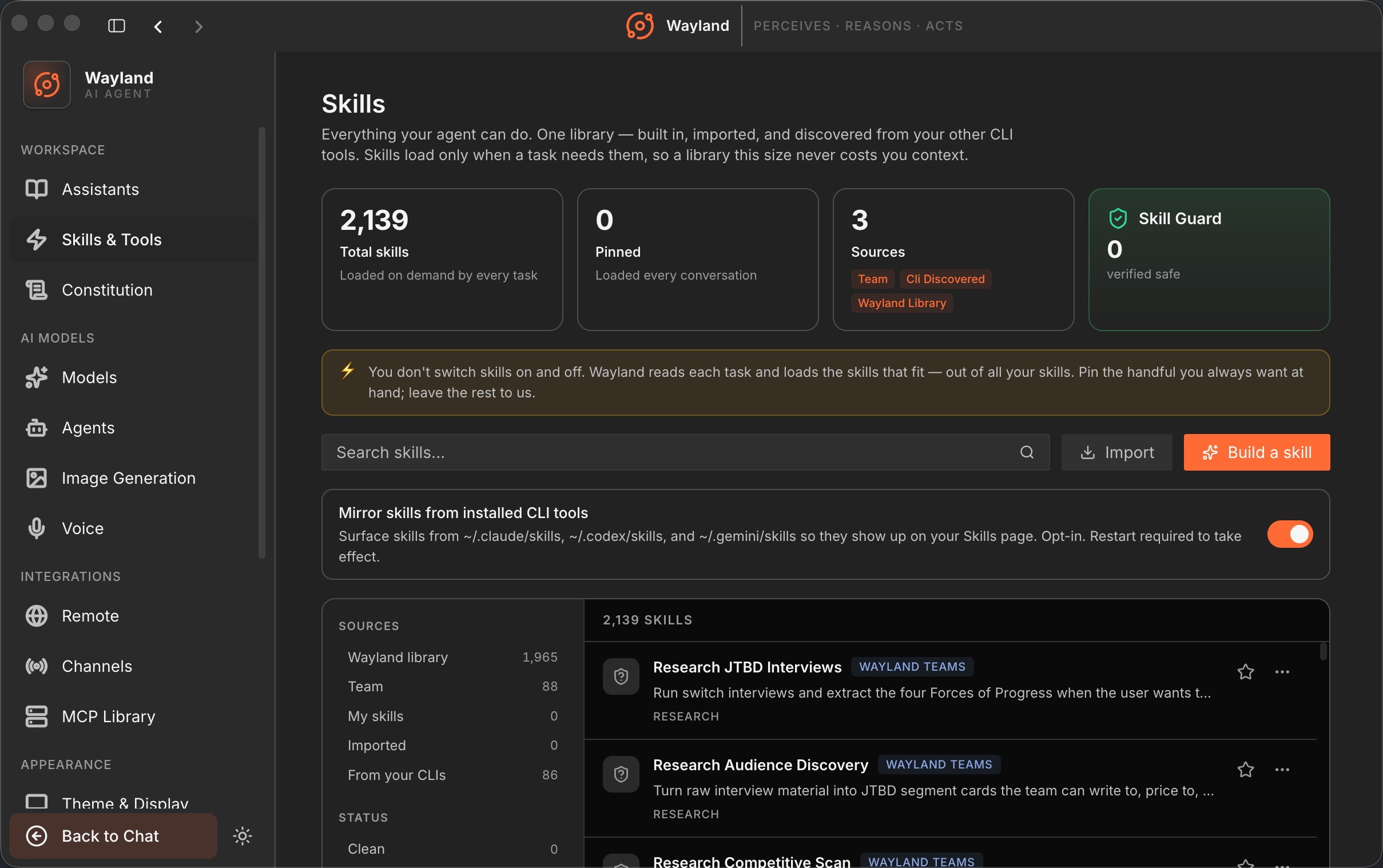
What a skill is
Section titled “What a skill is”A skill is a Markdown file with a YAML front matter header. The front matter carries the name and a one-line description; the body is the instruction text. When the agent invokes a skill, the engine resolves it by name, substitutes variables, expands any shell commands, and returns the processed text as the skill’s contribution to the turn.
Variables are filled in at run time: $ARGUMENTS becomes the full argument string passed to the skill, $0, $1, and so on are the individual positional arguments ($0 is the first), and ${WCORE_SKILL_DIR} is the path to the skill’s own directory. Lines containing !`cmd` run a shell command and substitute its output inline, so a skill can include live values like the current git branch.
Conditional activation
Section titled “Conditional activation”A skill can declare paths globs in its front matter. With paths set, the skill is dormant by default and becomes active only when the working path matches one of the patterns. A Rust review skill scoped to **/*.rs, for instance, appears only when Rust files are in scope. This keeps the skill list relevant to what you are working on.
Overrides and load order
Section titled “Overrides and load order”Front matter can override behavior for the duration of the skill: a different model, a reasoning effort (low, medium, high, or max), and an allowed-tools list that restricts the skill to specific tools. There is no permissions field in skill front matter; global allow and deny lists live in config under [tools.skills]. Skills load in priority order, highest first: bundled skills compiled into the binary, then skills from MCP servers, then user-global skills, then project-local .wayland-core/skills/, then the legacy commands/ directory. The first match for a given name wins, so a user-global skill overrides a project skill of the same name.
To stay within the prompt budget, skill listings inject only the name and description, not the body. The agent reads a skill’s body from disk when it activates the skill. Adding many skills adds rows, not full bodies, to the prompt. A small set of bundled skills is compiled in and always available.
Library health
Section titled “Library health”The desktop Skills page lists your skills with a filter rail and a health view. You can pin skills, and an audit flags stale or duplicate entries. See Build, Import, and Pin Skills for managing the library.