Settings: Assistants
The Assistants panel lists every assistant Wayland knows about: built-in, extension-contributed, and custom. From here you edit an assistant’s identity, pick its main agent, attach skills, and write its rules. A link at the top points to the /assistants library, the browse-and-launch surface.
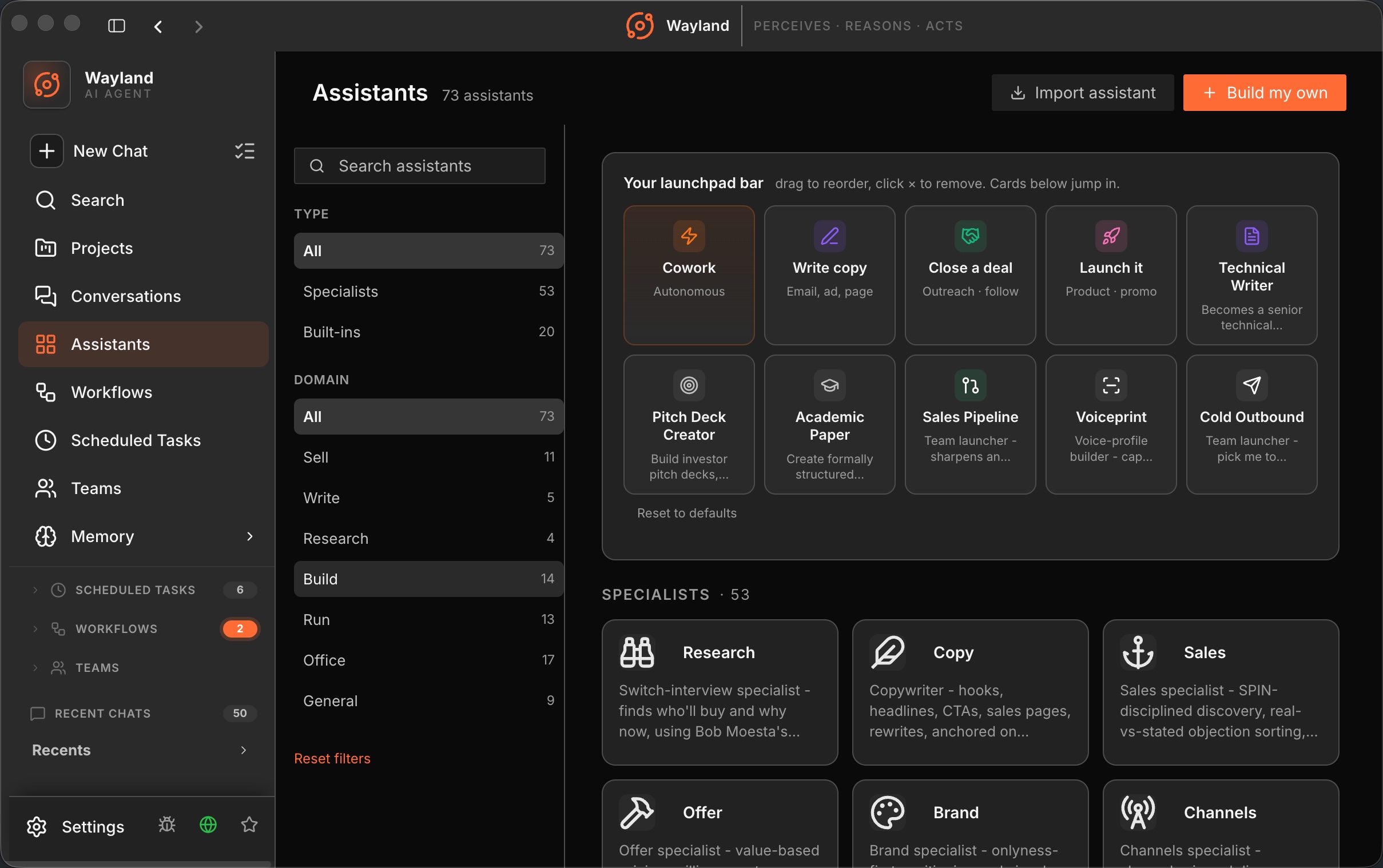
Library list
Section titled “Library list”The list shows each assistant as a card. Built-in and extension assistants are read-only in places noted below.
| Control | Description |
|---|---|
| Edit | Open the edit drawer for an assistant. |
| Duplicate | Copy an assistant into a new editable custom assistant. |
| Create | Start a new custom assistant from scratch. |
| Enabled toggle | Show or hide an assistant in the launch surfaces. |
Edit drawer
Section titled “Edit drawer”Editing rights depend on the assistant type. Built-in assistants allow switching the main agent and saving; their name, description, avatar, and rules are read-only. Extension assistants are fully read-only.
| Field | Description |
|---|---|
| Name and Avatar | The display name and an emoji or icon avatar. Editable for custom assistants only. |
| Assistant Description | A short line describing what the assistant helps with. Custom only. |
| Main Agent | The backend agent this assistant runs on, selected from detected agents. Extension agents are tagged ext. |
| Rules | The assistant’s prompt, written in Markdown, with Edit and Preview tabs and an Expand toggle. Custom only. |
| Save / Create | Persist the assistant. |
| Delete | Remove a custom assistant. Hidden for built-in and extension assistants. |
Skills section
Section titled “Skills section”The skills section appears for custom assistants and for built-in assistants that carry built-in skills. Skills are grouped into collapsible sections, each with an active-count badge.
| Group | Description |
|---|---|
| Imported Skills (Library) | Custom and pending skills, with a checkbox per skill and a remove action. |
| Builtin Skills | Skills shipped with the assistant. |
| Extension Skills | Skills contributed by extensions. |
| Auto-injected Skills | Built-in skills enabled by default; uncheck to disable one. |
| Add Skills | Open the picker to attach more skills, including custom paths. |