Settings: Channels
The Channels panel lists the messaging platforms Wayland can connect to. Channels are grouped into three tiers. Each channel is a card; selecting one opens its detail page to set up or configure the connection.
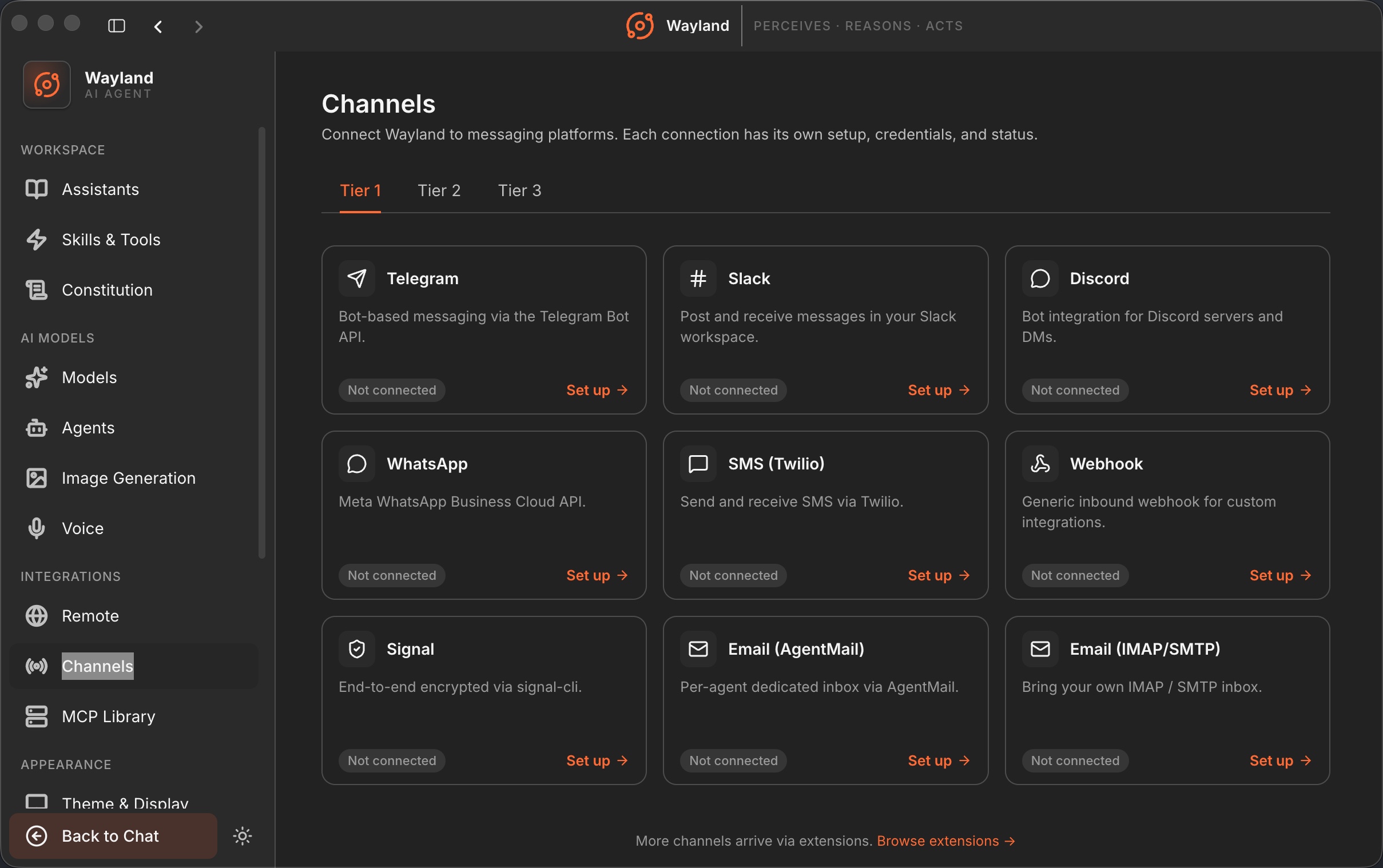
Tier tabs
Section titled “Tier tabs”The tabs split the catalog by reach.
| Tab | Contents |
|---|---|
| Tier 1 | Mass-market channels: Telegram, Slack, Discord, WhatsApp, SMS (Twilio), Webhook, Signal, Email (AgentMail), Email (IMAP/SMTP). |
| Tier 2 | Pro and regional channels: Matrix, MS Teams, LINE, iMessage, Lark / Feishu, DingTalk, WeChat, WeCom. |
| Tier 3 | Long tail: Mattermost, Google Chat, Nextcloud Talk, IRC, Nostr, Twitch, Synology Chat, BlueBubbles. |
Channel cards
Section titled “Channel cards”| Element | Description |
|---|---|
| Icon and name | The channel logo and display name. |
| Tagline | A one-line description of the channel. |
| Status pill | Not connected, Connected, or Coming soon. |
| Set up / Configure | Opens the channel detail page. The label reads Configure once connected. |
Browse extensions
Section titled “Browse extensions”A footer link points to extension-contributed channels beyond the built-in catalog.