Channel Matrix
Channels are messaging surfaces that route inbound messages to an assistant and send its replies back out. Wayland documents 25 of them, and every one has a setup flow in the desktop app under Settings > Channels. The catalog is organized into three tiers. Ten of the channels also have a Wayland Core CLI connector (a wcore-channel-* crate) so you can set them up from a Core channel config too.
- Tier 1 is the mass-market set.
- Tier 2 is the pro and regional set.
- Tier 3 is the long tail. The desktop app provides a setup flow for each; treat these as set-up-able rather than battle-tested end to end.
- Core CLI marks the channels that also ship a Wayland Core connector.
The required credentials below are the values you create on the provider side. The exact field names appear on each channel’s setup page. For step-by-step guides, see the channel pages under How-to.
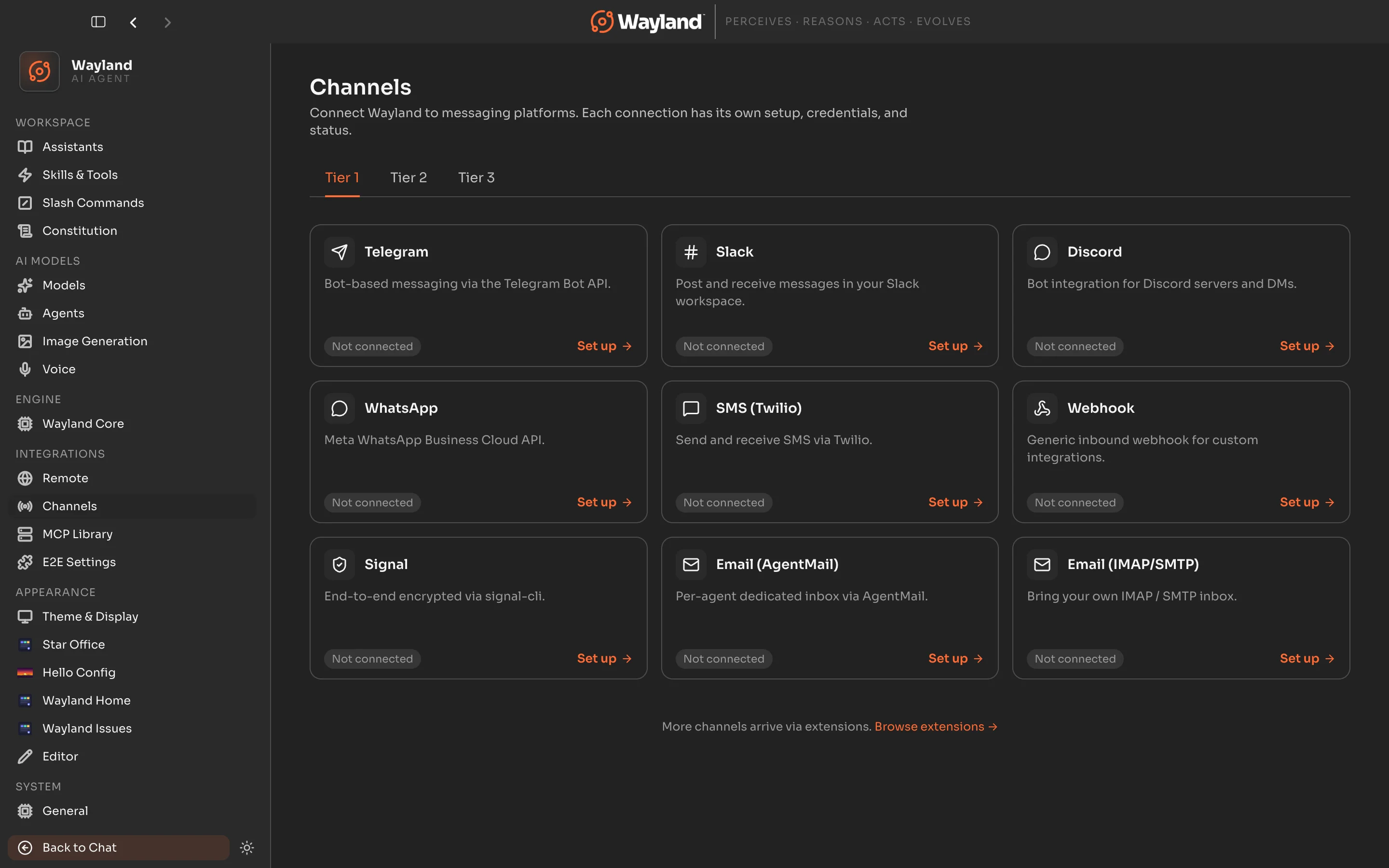
Tier 1: mass-market
Section titled “Tier 1: mass-market”| Channel | Id | Core CLI | Required credentials |
|---|---|---|---|
| Telegram | telegram | Yes | Bot token from BotFather |
| Slack | slack | Yes | Bot token, app token or signing secret, app scopes |
| Discord | discord | Yes | Bot token, gateway intents |
whatsapp | Yes | Paired bridge session (QR), or Cloud API access token, phone number ID, app secret | |
| SMS (Twilio) | sms-twilio | Yes | Account SID, auth token, from-number or Messaging Service SID |
| Signal | signal | Yes | Registered or linked number through signal-cli |
| Email (AgentMail) | email-agentmail | Yes | AgentMail API key, inbox address |
| Email (IMAP/SMTP) | email-imap | Yes | IMAP and SMTP host, port, credentials |
| Webhook | webhook | No | Outbound URL, outbound secret (Wayland exposes the inbound URL) |
Tier 2: pro and regional
Section titled “Tier 2: pro and regional”| Channel | Id | Core CLI | Required credentials |
|---|---|---|---|
| Matrix | matrix | Yes | Homeserver URL, user ID, access token |
| MS Teams | ms-teams | Yes | App registration (app ID and app password) |
| iMessage | imessage | Yes (macOS) | macOS host signed in to iMessage, allowed handles |
| LINE | line | No | Channel access token, channel secret |
| Lark / Feishu | lark | No | App ID, app secret, event subscription |
| DingTalk | dingtalk | No | Client ID, client secret (optional webhook secret) |
wechat | No | QR-code login (no pasted credentials) | |
| WeCom | wecom | No | WebSocket: bot ID and secret; Webhook: corp ID, token, encoding AES key |
Tier 3: long tail
Section titled “Tier 3: long tail”| Channel | Id | Core CLI | Required credentials |
|---|---|---|---|
| Mattermost | mattermost | No | Bot access token, server URL, team ID |
| Google Chat | google-chat | No | Service account JSON, audience |
| Nextcloud Talk | nextcloud-talk | No | Server URL, username, app password |
| IRC | irc | No | Server and port, nick, channels |
| Nostr | nostr | No | Private key (nsec), relays |
| Twitch | twitch | No | OAuth token, bot username, channels |
| Synology Chat | synology-chat | No | Incoming and outgoing webhook tokens |
| BlueBubbles | bluebubbles | No | BlueBubbles server URL and password |
Two-way inbound channels (Core CLI)
Section titled “Two-way inbound channels (Core CLI)”In the Wayland Core CLI, the channels that both receive messages and send replies through Core’s two-way inbound support are Telegram, Discord, Slack, WhatsApp, Matrix, MS Teams, and SMS. This note describes the Core CLI behavior; for desktop-only channels, follow each channel’s own page for how it receives and sends.
Status
Section titled “Status”A freshly added channel shows as not connected. Once its credentials validate and the gateway starts, the card moves to connected.