Settings: Agents
The Agents panel shows the agent backends Wayland has detected on your machine and the remote agents you have paired. Each agent states in plain language which models it runs. Wayland Core is always present as the lead card once a model is connected.
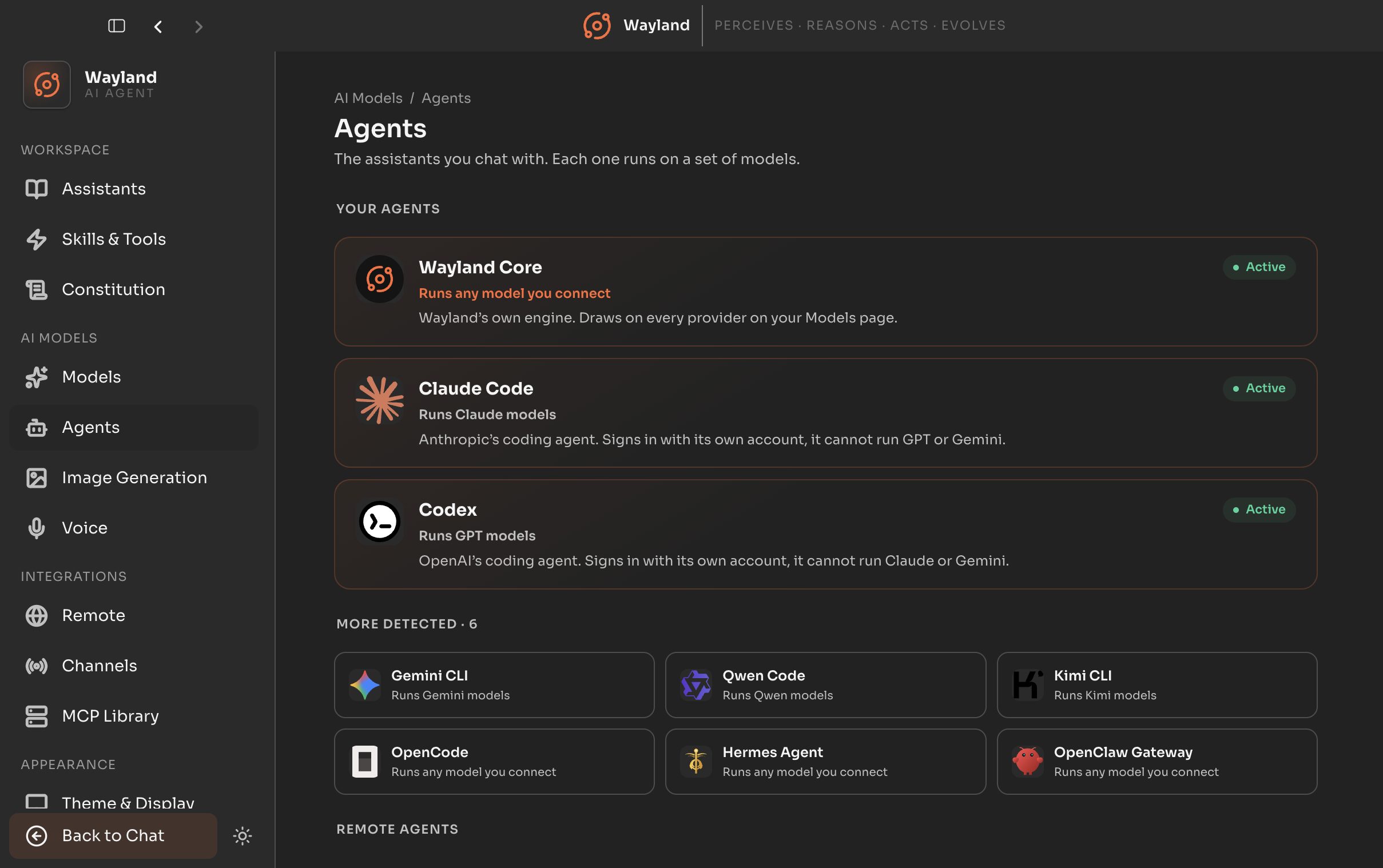
Your agents
Section titled “Your agents”Featured cards for the primary backends. Wayland Core renders first, followed by Claude Code and Codex when detected.
| Element | Description |
|---|---|
| Agent card | Name, logo, a plain-language scope line, and a short description. |
| Active / Detected badge | ”Active” when the live detector confirms the agent, “Detected” otherwise. |
More detected
Section titled “More detected”A compact tile grid for every other detected CLI agent. Each tile shows the agent name, its logo, and its scope.
Remote agents
Section titled “Remote agents”Paired remote agent connections, such as OpenClaw and Hermes. Sub-detector failures surface here as a warning so you can tell “none configured” from “failed to load”.
On the roadmap
Section titled “On the roadmap”A teaser for the Flux Router, marked “coming soon”. It is informational only and has no controls yet.